
Showing top 0 results 0 results found
Showing top 0 results 0 results found



Every HR team knows the feeling. The same questions about leave balances, benefits enrollment, and company policies keep landing in the same inbox, while strategic work — engagement, hiring, culture — gets pushed to "next week."
HR chatbots fix that. They handle routine employee questions around the clock, plug into the HRIS, Slack, or Teams your company already uses, and give HR teams their time back for the work that actually moves the needle.
This guide is built around what HR chatbots look like in practice — the workflows that show up in real HR departments, the patterns that separate a useful HR chatbot from a glorified FAQ page, and the platforms worth a serious look in 2026.
Try ChatBot free and put your HR processes on autopilot. For a deeper look at how Text approaches employee-facing automation, see our AI chatbot solution for HR teams.
What is an HR chatbot?
An HR chatbot is an AI-powered tool that handles employee support through natural language conversations. Employees ask a question in plain English (or any other supported language), and the chatbot pulls the answer from your company policies, HR systems, or knowledge base.
Most HR chatbots integrate with platforms your team already uses, like Slack, Microsoft Teams, or your company website, so employees get instant access to HR information right where they work. Behind the scenes, natural language processing and machine learning help the chatbot understand employee intent and improve its accuracy over time.
Typical use cases span the entire employee lifecycle: recruitment and initial screening, onboarding, benefits enrollment, leave management, performance tracking, and offboarding. By automating routine tasks, HR chatbots free HR departments to focus on strategic initiatives like employee engagement, company culture, and talent development.
It helps to think of an HR chatbot as a customer service chatbot pointed at employees. The mechanics are the same — handle the routine, hand off the complex, learn from every conversation — but the audience is internal, and the knowledge base is HR policy rather than product documentation. That framing matters because it shapes what to look for in a platform (more on that below).
How HR chatbots work in practice: 7 example workflows
The clearest way to understand what HR chatbots actually do is to walk through the workflows. These are the seven that show up most often in HR departments running chatbots in production today. For a broader view of how AI agents handle these kinds of internal workflows across other functions, see our AI agent examples guide.
1. The new-hire onboarding chatbot
A new starter joins on Monday. Before they've finished their coffee, the chatbot has walked them through the employee handbook, collected the documents HR needs for payroll, scheduled their orientation sessions, and provisioned access to the tools they'll need on day one.
For the rest of the first week, the bot fields the predictable wave of "Where do I find my health insurance information?" and "Who do I talk to about my parking pass?" questions. HR gets a clean handoff for the things that actually require a human conversation.
This is one of the highest-volume HR chatbot use cases, and it's where Text's AI onboarding chatbot solution plays directly — guiding new hires through their first weeks without HR fielding the same questions 50 times.
2. The benefits and open-enrollment chatbot
Open enrollment is the highest-stakes window in the HR calendar. The chatbot handles the questions employees keep asking — what's the difference between the PPO and the HDHP, what does the HSA cover, when's the deadline — and walks people through the trade-offs without HR running back-to-back office hours all month.
Done well, this is the workflow where HR chatbots deliver the most visible employee-experience wins, because employees are making real financial decisions and need the answer fast.
3. The HR helpdesk in Slack or Teams
This is the highest-volume use case across most HR departments. PTO balances, benefits questions, payroll inquiries, policy clarifications, address updates. The same 15 questions, hundreds of times a month.
A chatbot trained on your company's policies handles these instantly in the channels employees already live in — Slack, Microsoft Teams, the intranet. No tickets to file, no waiting for HR to open the inbox. The same pattern that powers an FAQ chatbot for customer support works just as well pointed at employees. When the bot hits the limit of what it can answer, it escalates to a human HR rep with full conversation context attached, so the employee doesn't have to start over.
4. The recruitment and candidate-screening chatbot
On the front end of hiring, chatbots answer candidate questions on career pages, collect applications, ask screening questions, and schedule first-round interviews. For high-volume roles in retail, hospitality, and healthcare, this is where the biggest time savings show up. The bot keeps candidates warm during the long stretches when a recruiter would otherwise go dark, and it filters the funnel before a human ever picks up the conversation.
5. The leave-and-time-off chatbot
Checking balances, submitting requests, getting approval status — a chatbot connected to your HRIS handles all three in a single conversation. Employees stop emailing HR to ask "how many days do I have left?" and HR stops manually routing every PTO request through an inbox.
6. The internal-mobility chatbot
A more advanced use case, but a growing one. The chatbot matches employees to open roles based on their skills, performance data, and stated career interests, surfacing opportunities that would otherwise require a recruiter to manually search. It's a low-friction way to keep career conversations going without bolting another portal onto your stack.
7. The offboarding chatbot
When someone leaves, the chatbot conducts the exit interview, collects feedback, walks the employee through return-of-equipment steps, and triggers the admin tasks on the HR side — revoking system access, generating final paperwork, transferring knowledge. Done well, it turns one of HR's messiest workflows into a clean handoff.
What ties all seven together: the chatbot sits where employees already work (Slack, Teams, the intranet), connects to the HRIS or knowledge base on the back end, and knows when to hand off to a human. That combination — conversational front end, real data on the back end, clean escalation — is what separates a real HR chatbot from a static FAQ page.
How HR chatbots help in everyday HR operations
AI-powered HR chatbots plug into everyday HR tasks and remove the bottlenecks that slow your team down.
In recruitment, they handle resume screening, interview scheduling, and candidate sourcing. New hires get guided through document submission, policy familiarization, and initial training during onboarding, so the transition into your company feels smooth from day one. For ongoing employee support, chatbots act as an always-on HR help desk, answering questions about leave policies, payroll, benefits, and company policies.
They also gather employee feedback through pulse surveys and sentiment tracking, giving HR leaders real-time data on what is and isn't working.
The volume and scale these chatbots can handle is what makes the operational case. Wembley Stadium, for instance, uses ChatBot for high-volume customer-service inquiries — around 12,000 chats per month on average, spiking to 8,000 in a single day during peak events. The same conversational AI engine, pointed at employees instead of customers, handles HR helpdesk volume at large enterprises just as comfortably.
HR professionals can also use chatbots to offer personalized learning paths, recommend training resources, and track progress. For exit management, chatbots conduct exit interviews and support knowledge transfer, ensuring an efficient and thorough offboarding experience.
Key features to look for in an HR chatbot platform
Picking the right HR chatbot platform comes down to how well it matches your HR team's actual needs. Here is what to look for.
Supported HR functions
The best HR chatbot platforms cover the full range of HR services: talent acquisition, onboarding, employee engagement, performance management, and self-service. Look for a platform that can handle the HR tasks you need automated today, with room to expand as your HR processes evolve.
Effective HR chatbots guide new hires through required activities, support performance management, and give employees instant answers to HR questions without making them wait for an HR rep.
Integration capabilities
An HR chatbot that cannot talk to your existing systems is one that adds work instead of removing it. Integration with your HRIS, ATS, LMS, and payroll platforms lets the chatbot read, write, and update employee data without manual syncing. Integration with communication platforms like Slack or Microsoft Teams means employees interact with the chatbot in the tools they already use daily.
Good integration also improves reporting: the chatbot can pull real-time information from multiple systems and present it in one place, giving HR staff a complete picture without juggling dashboards.
Ease of use and customization
A user-friendly platform with an intuitive drag-and-drop interface lets HR professionals build and adjust conversation flows without calling developers. Platforms that offer pre-built templates for common HR functions significantly reduce setup time.
Customization matters just as much. Your HR chatbot should match your brand's tone and language, and support complex HR workflows specific to your organization. The ability to fine-tune the chatbot with company-specific policies and language is what separates a generic FAQ bot from a genuine HR tool.
Analytics and reporting
Good analytics help HR teams spot trends and pain points, like recruitment bottlenecks or topics where employees keep asking for clarification. By analyzing interaction data, HR staff can continuously optimize the chatbot and the processes behind it.
Advanced platforms also offer predictive analytics, helping HR leaders anticipate issues like high turnover or declining employee satisfaction before they become full-blown problems. Customizable dashboards and detailed reports save time and make data-driven decisions the default rather than the exception.
Scalability
As your company grows, so does your HR workload. A scalable chatbot platform handles higher interaction volumes without performance dips, and lets HR departments add new workflows, integrations, or HR functions as needed.
For organizations going through rapid growth or restructuring, this matters especially. A solid platform can also support multi-language capabilities and geographical expansion, providing consistent HR support to global teams across time zones.
AI capabilities
Natural language processing lets an HR chatbot understand employee queries in conversational language instead of forcing people to pick from rigid menus. Advanced AI models detect intent, recognize sentiment, and learn from past interactions to deliver more context-aware responses over time.
Platforms with strong NLP handle multiple languages and dialects, which matters for organizations with diverse, global teams. AI chatbots can also personalize interactions by drawing on insights from past interactions and tailoring responses to individual users. For a deeper definition of what separates an AI agent from a basic chatbot, see our AI agent guide.
Security and compliance
HR chatbots handle sensitive employee data, so compliance with regulations like GDPR, CCPA, and HIPAA is non-negotiable. Look for features like role-based access control, audit logs, and data anonymization. Regular security assessments and certifications show a platform takes protection seriously.
When employees trust that their conversations are confidential and legally compliant, they are more likely to use the chatbot for the queries that matter, from benefits questions to sensitive workplace concerns.
Pricing model
Pricing models vary: subscription-based (per user, per interaction, or per active chatbot), usage-based, or custom enterprise plans. Some platforms offer free trials or freemium tiers so you can test before committing.
The key is to assess both short-term affordability and long-term scalability. A cheap tool that cannot grow with your organization ends up costing more in the long run.
Customer support services
Responsive support is critical during setup and integration, especially for organizations with complex HR systems. Many platforms offer dedicated onboarding, training, and ongoing support to ensure HR teams get full value from the chatbot. Regular updates, proactive maintenance, and feature improvements keep the platform reliable as your HR needs evolve.
Popular HR chatbot use cases
HR chatbots can take on a wide range of HR tasks across the employee lifecycle. Here are the use cases that deliver the most impact.
Chatbots in the recruitment process
AI-powered HR chatbots handle the repetitive parts of recruitment, so your team can focus on building relationships with top talent. They list job openings, screen resumes, shortlist candidates, and manage interview scheduling, cutting the back-and-forth that slows down the hiring process.
The result: a shorter time to hire and a better candidate experience.
Chatbots also answer candidate questions instantly, provide consistent communication, and reduce ticket volume for your HR team. With built-in data analytics, recruiters can identify trends, measure efficiency, and continuously optimize their recruitment process.
Chatbots in onboarding and offboarding
During onboarding, HR chatbots guide new hires through paperwork, document submissions, compliance training, and introductions to company culture and benefits. New employees get immediate support instead of waiting for an orientation session, and HR teams save time on repetitive walkthroughs. Text's onboarding chatbot solution is built specifically for this stage of the lifecycle.
On the offboarding side, chatbots collect feedback from departing employees, guide knowledge transfer, and automate admin tasks like revoking system access and generating final paperwork.
Chatbots in employee engagement
HR chatbots can gather feedback through pulse surveys, track sentiment, and flag engagement issues before they escalate. They give employees a convenient way to voice opinions or suggest improvements, and they can answer policy questions 24/7 so people feel supported at all hours.
Personalized interactions, like acknowledging achievements or celebrating milestones, help boost employee satisfaction. HR leaders get visibility into engagement metrics to see where intervention is needed.
Chatbots in performance management
HR chatbots support performance management by facilitating feedback, goal tracking, and automated reminders that keep employees aligned with organizational objectives. They collect data on employee progress and help generate performance reports, making evaluations more objective and data-driven.
Instead of relying on annual reviews alone, chatbots enable ongoing check-ins and can recommend personalized training resources based on performance gaps. This continuous approach improves transparency and helps reduce bias in evaluations.
Chatbots as employee self-service
Self-service is where HR chatbots deliver the most immediate cost savings. Employees can check leave balances, submit requests, update personal information, and retrieve documents like payslips or tax forms through simple conversations.
This reduces the administrative burden on HR teams and gives employees instant access to the HR information they need. For more on how Text approaches employee self-service specifically, see our HR chatbot solution.
Chatbots providing data-driven insights
Every conversation an HR chatbot has with employees creates a data point. Over time, this builds into a rich dataset that reveals patterns in employee satisfaction, engagement, and common pain points. HR teams can capture this information from conversations, surveys, and routine queries.
By analyzing frequently asked questions, HR departments can identify knowledge gaps and improve training programs. Data can be segmented by role, location, or tenure for targeted insights.
Top HR chatbot platforms in 2026
Comparison table
A quick look at how the leading HR chatbot platforms compare on ease of use, analytics, and scalability — the factors that determine whether your HR chatbot will actually get adopted across the HR department.
|
Platform |
Ease of use |
Analytics & reporting |
Scalability |
|---|---|---|---|
|
ChatBot |
Intuitive drag-and-drop builder, no-code interface |
Detailed conversation analytics and user insights |
Highly scalable for small to large businesses |
|
Leena AI |
No-code platform with comprehensive HR tools |
HR analytics, employee sentiment analysis |
Scalable for small and large enterprises |
|
Moveworks (now part of ServiceNow) |
Conversational AI built for enterprise IT and HR |
Deep analytics on deflection and resolution rates |
Built for large enterprises |
|
Paradox / Olivia (now part of Workday) |
Recruitment-automation focused |
Detailed recruitment analytics, candidate tracking |
Suitable for recruitment of all sizes |
|
MeBeBot |
Pre-built HR/IT knowledge, easy to deploy |
Usage and engagement reports |
Mid-market to enterprise |
|
Gupy |
User-friendly, recruitment-focused |
Recruitment reports, hiring efficiency metrics |
Flexible, adaptable for enterprise use |
|
Workativ |
No-code AI agent builder for HR/IT helpdesk |
Conversation analytics, deflection metrics, workflow reporting |
SMB to enterprise; strong Slack/Teams fit |
ChatBot
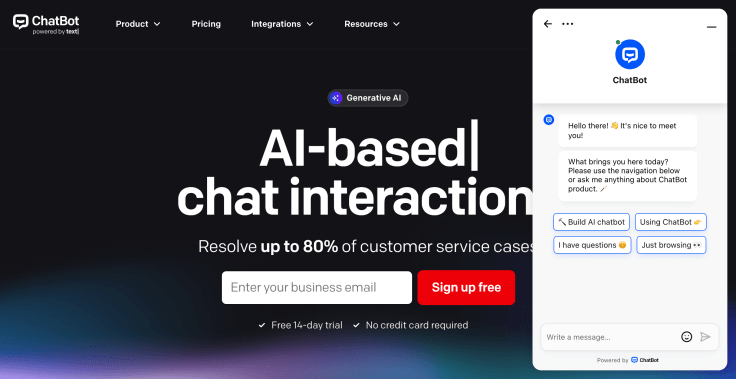
ChatBot is one of the most versatile options for automating HR services. Its no-code, drag-and-drop builder lets HR teams create custom conversation flows in minutes, with no developers required.
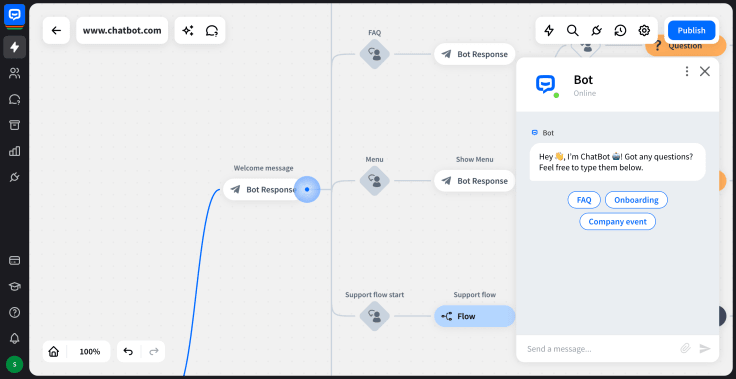
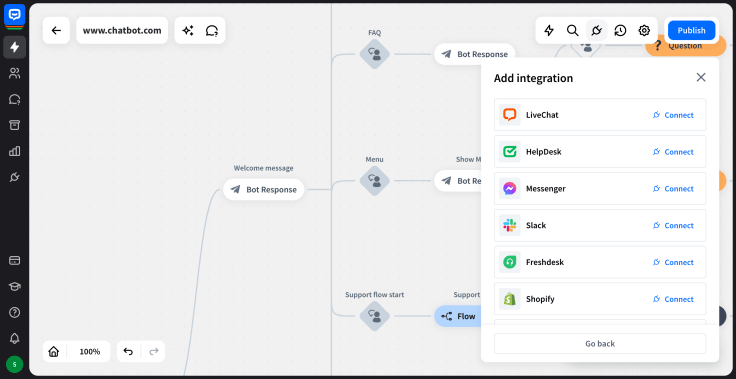
The platform covers onboarding, employee engagement, self-service, and feedback collection. Native integrations include Slack, Facebook Messenger, Shopify, WordPress, Zendesk, Freshdesk, LiveChat, and HelpDesk, with Zapier and webhooks for everything else — useful when you need to connect to an HRIS like Workday or BambooHR. When the AI Agent can't resolve an issue, it hands off to a human agent in LiveChat with full conversation context preserved.
Its analytics and reporting give HR teams visibility into employee interactions, engagement levels, and process efficiency. The platform scales from startups to large enterprises and supports multilingual interactions for global teams. For HR-specific deployment, see the HR chatbot solution and the onboarding chatbot solution.
ChatBot's flexible pricing fits businesses of all sizes, with options that grow as your organization grows.
Leena AI
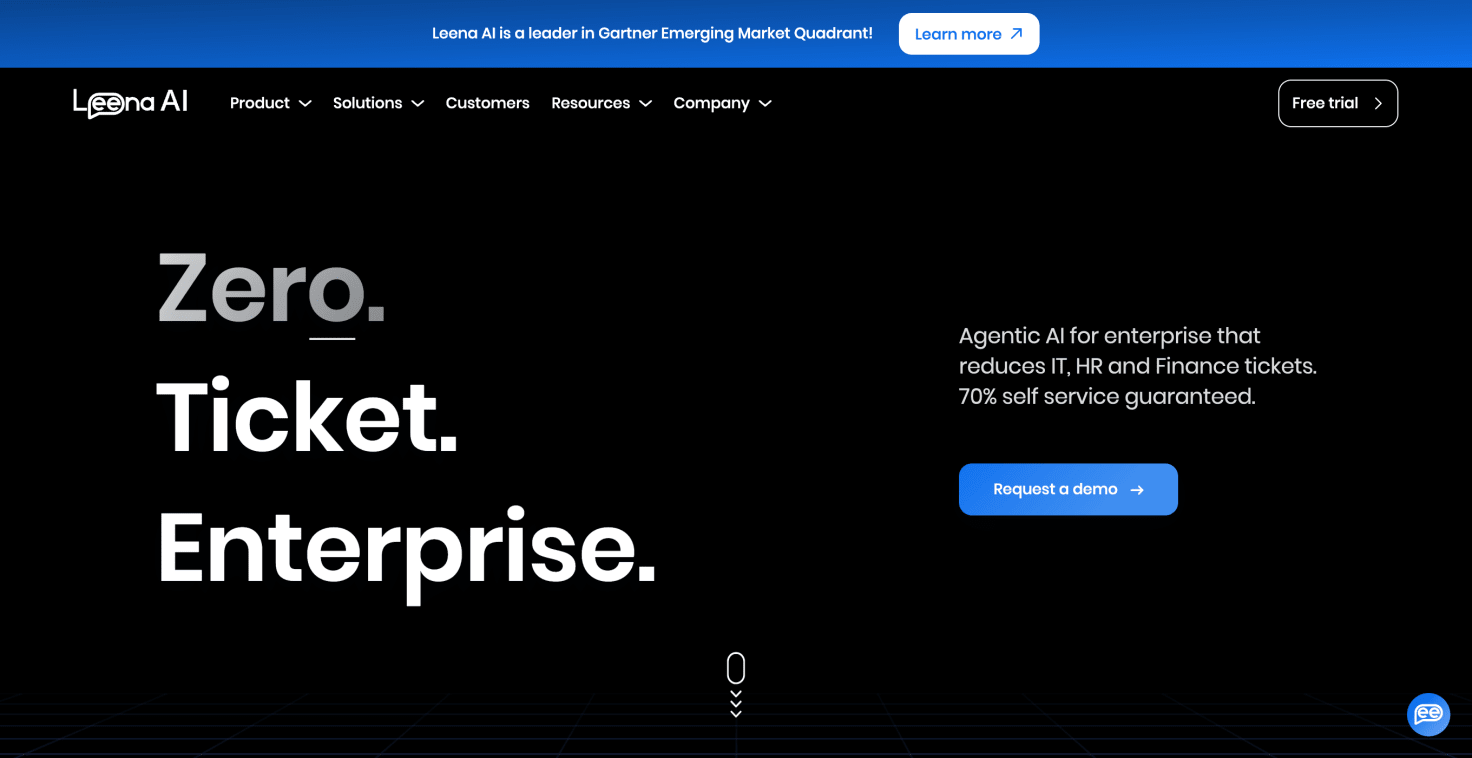
Leena AI is an enterprise-grade conversational AI platform that automates internal employee support across HR, IT, and Finance. It handles tickets, onboarding, engagement surveys, and knowledge access.
It integrates with SAP SuccessFactors, Oracle HCM, Workday, and BambooHR. Its no-code interface makes it accessible to HR professionals without technical backgrounds, and its analytics provide deep insights into employee queries, sentiment, and engagement trends.
Moveworks (now part of ServiceNow)

Moveworks is an enterprise AI assistant that automates employee support across HR, IT, finance, and facilities. It uses large language models to interpret natural language queries and resolve them autonomously by triggering workflows across connected systems.
ServiceNow completed its $2.85 billion acquisition of Moveworks in December 2025, and the platform is now being integrated into the ServiceNow AI Platform as its AI-native front-end assistant. For organizations already standardized on ServiceNow, this consolidation simplifies procurement. For those that aren't, it's worth confirming standalone availability and pricing during the sales process, since the product roadmap now runs through ServiceNow.
It integrates with Workday, ServiceNow, Microsoft Teams, Slack, and SharePoint, with strong out-of-the-box deflection rates and detailed analytics. Best suited to large enterprises looking to consolidate internal support across IT and HR.
Paradox / Olivia (now part of Workday)
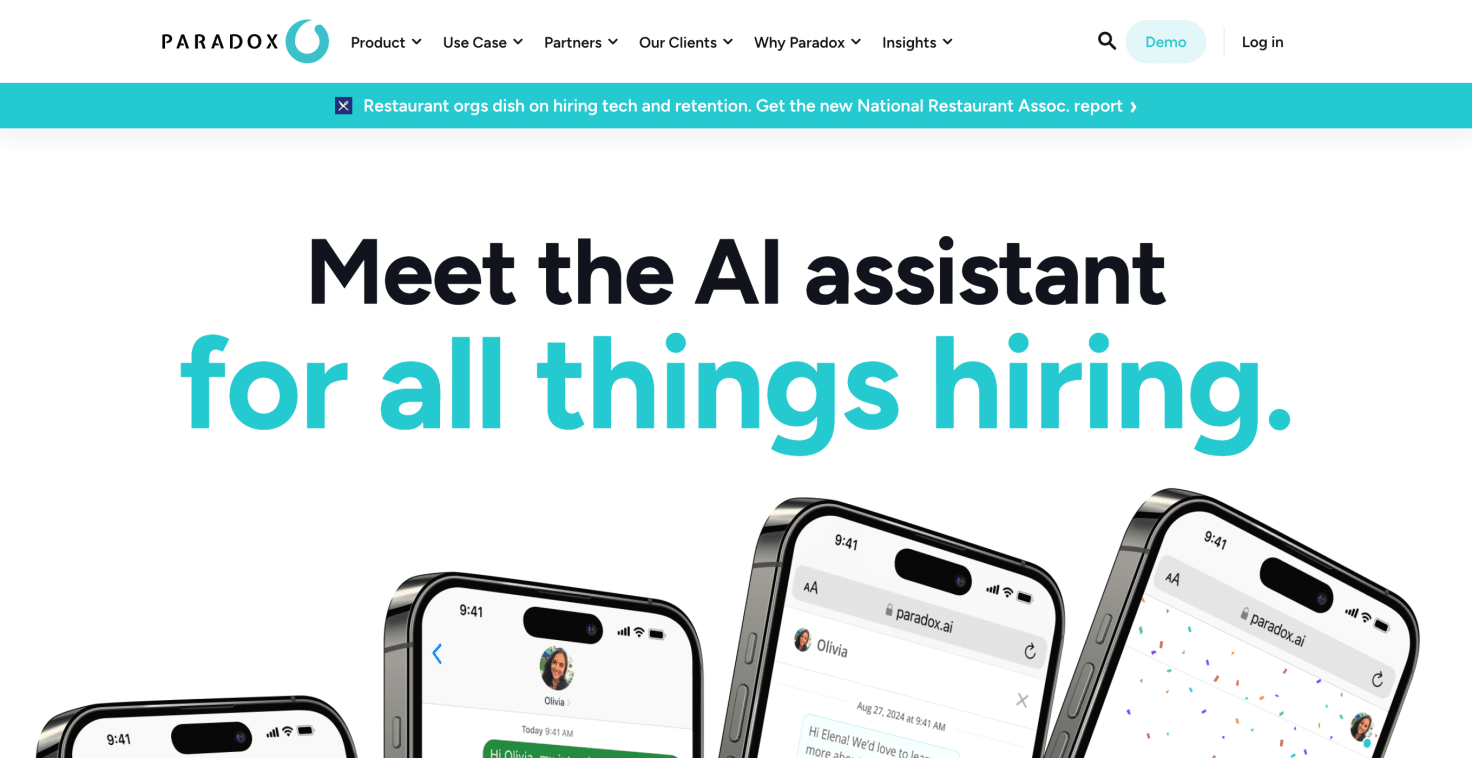
Olivia by Paradox is a conversational AI recruiting platform built for high-volume hiring across retail, hospitality, healthcare, and logistics. Candidates interact with Olivia through career sites, SMS, or WhatsApp; she screens against job requirements, auto-schedules interviews, and handles candidate FAQs around the clock. Documented results include GM saving roughly $2 million annually in recruiter time and Chipotle cutting time-to-hire from 12 days to 4.
Workday completed its $1 billion acquisition of Paradox in October 2025. Olivia continues to be sold standalone and is also being integrated into Workday's talent acquisition suite. Buyers who aren't already on Workday should confirm standalone roadmap commitments during procurement.
It integrates with ATS platforms including Workday, Greenhouse, Taleo, and iCIMS. Best suited to organizations with high-volume frontline hiring.
MeBeBot

MeBeBot is an AI-powered chatbot focused on HR, IT, and operations support. It comes with a pre-built knowledge base of common employee questions, which speeds up deployment for HR teams that do not want to start from scratch.
It runs across Slack, Teams, and the web, with a manager-focused dashboard, pulse surveys, and push messaging for company-wide alerts. Best for mid-market and enterprise HR teams that want fast time-to-value.
Gupy

Gupy is a recruitment-focused platform that helps HR teams screen candidates, schedule interviews, collect feedback, and analyze hiring data. Its NLP capabilities support smooth communication with candidates and employees.
The intuitive design makes it accessible for HR teams of all sizes and quick to deploy.
Workativ

Workativ is a no-code AI agent platform purpose-built for HR and IT helpdesk automation. It deploys natively in Slack and Microsoft Teams, where employees already work, and ships with pre-built workflow automations for the common HR tasks: leave requests, onboarding flows, password resets, benefits lookups.
What sets it apart from generic chatbot builders: it treats HR and IT support as the same problem. Most employee questions ("I can't access the benefits portal") don't fall neatly into one bucket, and Workativ handles that overlap natively rather than forcing teams to pick a lane.
It connects to 100+ HR and IT systems, including Workday, BambooHR, SAP SuccessFactors, and ServiceNow, with session-based pricing rather than per-user fees. A solid fit for HR teams that want to deploy fast inside Slack or Teams without enterprise-tier implementation costs.
Why ChatBot is your best choice
ChatBot brings your AI Agent, live chat, and AI Help Desk ticketing into one workspace through the Text platform. HR teams get a no-code builder, omnichannel support, and a comprehensive feature set that covers every stage of the employee lifecycle. What sets it apart: when the chatbot reaches the limits of automation, it escalates to a human HR rep in LiveChat with full context preserved, so the employee never has to repeat themselves.
Combined with multilingual support, strong security and compliance measures, and analytics that actually help HR leaders make better decisions, ChatBot is built for organizations that take both employee experience and operational efficiency seriously.
For a deeper look at how Text compares to other platforms in this space, see our roundup of the best AI agents in 2026.
Add an HR chatbot to your stack
HR chatbots have moved from "nice to have" to a core part of how modern HR departments operate. The seven workflows in this guide — onboarding, benefits, helpdesk, recruitment, leave management, internal mobility, offboarding — are running in HR departments right now, and the teams that adopt them spend less time on routine tasks and more on the strategic work that shapes culture, engagement, and growth.
The platforms covered here each bring something different to the table. But if you want an AI-powered tool that scales, integrates with the tools you already use, and connects HR automation with live chat and helpdesk in one workspace, ChatBot is worth a serious look. The HR chatbot solution page is the fastest way to see how it fits an HR team specifically.
Your HR team has better things to do than answer the same question 200 times a week. Try ChatBot free.
FAQ
What is an HR chatbot example?
An HR chatbot example is a real workflow where an AI assistant handles HR tasks like onboarding, benefits enrollment, or employee self-service. Common examples include a new-hire onboarding chatbot that walks employees through paperwork on day one, an open-enrollment chatbot that explains benefits options during the annual window, and an HR helpdesk chatbot in Slack or Teams that answers policy and PTO questions.
What can an HR chatbot actually do?
Modern HR chatbots screen candidates, schedule interviews, walk new hires through onboarding, answer policy and benefits questions, check leave balances, collect feedback through pulse surveys, and conduct exit interviews. The best ones also execute actions — submitting a leave request, updating an employee record — by connecting to your HRIS.
How do HR chatbots handle sensitive data?
Enterprise HR chatbot platforms comply with GDPR, CCPA, and HIPAA where applicable, and use role-based access control, audit logs, and data anonymization. Always verify that the platform you choose has the certifications your region and industry require.
Which HR chatbot is best for small businesses?
For small HR teams, no-code platforms with pre-built templates are usually the best fit. ChatBot, MeBeBot, and Workativ all let you launch in days rather than months.
Which HR chatbot is best for enterprise?
For enterprise, look at Leena AI, Moveworks (now part of ServiceNow), and Paradox (now part of Workday). All three handle large query volumes, integrate deeply with HRIS and IT systems, and deliver the analytics enterprise HR leaders need. The recent wave of consolidation in this space — Workday acquired Paradox in October 2025, ServiceNow acquired Moveworks in December 2025 — means buyers should confirm standalone availability and roadmap commitments during procurement.
Can an HR chatbot replace HR staff?
No. The best setups pair the chatbot with HR people: the bot handles routine and repetitive questions instantly, and HR steps in for conversations that need judgment, empathy, or sensitive handling. A good HR chatbot makes HR teams more effective, not smaller.